A live dashboard that turns positioning data into decisions your team can act on before the queue forms, not after.
Everything your team needs to see is already on one screen, refreshed continuously rather than reconstructed from end-of-day reports.
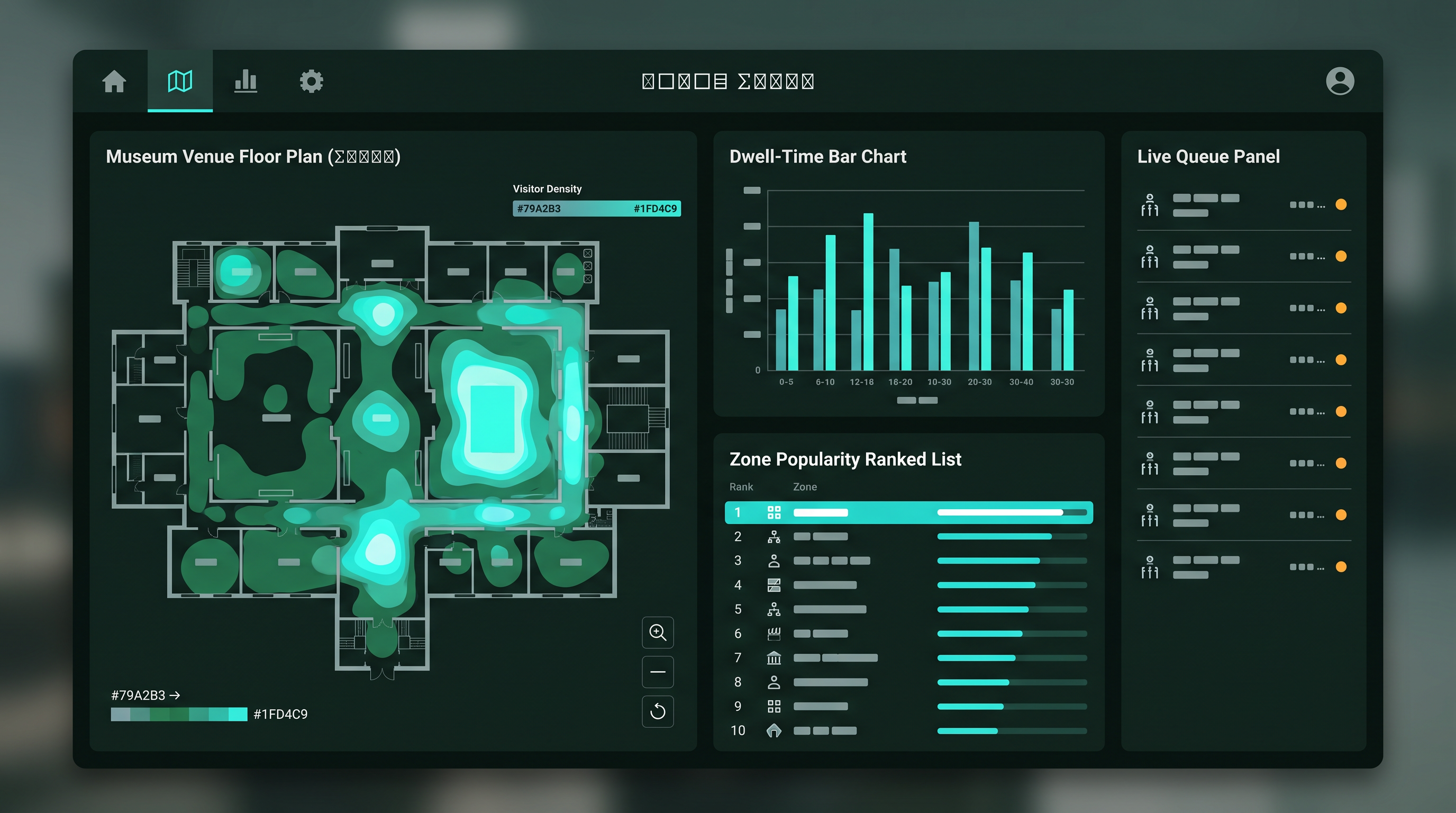
Illustrative interface. Data shown is for demonstration purposes only.
See density build across the floor plan in real time, zone by zone.
See where visitors linger and where they move straight through.
A ranked list of exhibits and attractions by engagement, updated live.
Current wait and capacity at every monitored point on the venue map.
Six plays your team can run the moment the dashboard is live, no new headcount required.
Move floor staff to the zones filling up now, not the ones that were busy an hour ago.
Send visitor traffic toward under-visited zones automatically once a threshold is reached.
Move offers and staff to where dwell time says visitors already are.
Identify low-dwell zones early enough to refresh content before a season ends.
Set opening hours and staffing around actual dwell and flow, not assumptions.
Bring measured, dated evidence to boards and funders instead of anecdotes.
Pricing depends on site complexity, zone count and the modules you select. These tiers describe scope, not a fixed price.
Every pilot and every ongoing deployment produces a structured evaluation report covering visitor satisfaction, engagement, dwell, flow and operational impact over the review period.
Figures are presented as measured outcomes from the deployment period being reported, or clearly labelled as a modelled projection where the platform is still in pilot. Tourism boards and cultural agencies reviewing funding requests read this section most closely, so it is written for that audience.
Consent, data minimisation and access control are structural, not an add-on. This matters as much to a national museum as it does to a private operator.
Positioning relies on UWB and BLE signals, never on identifying a face in a camera feed.
Any layer that ties a position to a named visitor requires an explicit, revocable opt-in.
Staff see only the data their role requires. Access is logged and reviewable.
Retention windows are set per deployment and can be shortened for sensitive sites.
Only the data needed to run the selected modules is collected, never a broader set by default.
Hosting location can be matched to GDPR, PDPA and other regional requirements.
Every opt-in and opt-out is timestamped and available for audit.
Roles and responsibilities between venue and platform are set out in writing before go-live.
See the platform running on a single gallery, ride or wing before committing to a full site rollout.
 Experiatyca